





DaniMotorSport
Piloti professionisti
-
Registrato
-
Ultima Visita
Contenuti inviati da DaniMotorSport
- Prima pagina
- Prec
- 1
- 2
- 3
- 4
- 5
- 6
- 7
- 8
- 9
- 10
- 11
- Successivo
- Ultima pagina
-
-
Tanti Auguri Ragazzi e continuate così come semprehttps://www.sauber-group.com/motorsport/f1-news/kimi-raikkonen-and-antonio-giovinazzi-to-race-on-with-alfa-romeo-racing-orlen-in-2021/avranno colpa i piloti ma anche l'auto non è tutta questa competivitàhttps://www.corriereromagna.it/imola-il-sindaco-alla-piazza-che-protesta-f1-sara-a-porte-chiuse/esattamente...oppure c'è un braccio di ferro molto forte tra Prefetto e organizzatori anche per evitare un precedente rispetto al DPCMChissà se ce ne sono altrimenti di messaggi così durante i team radio che non passano in tv...Ragazzi da desktop con browser Edge vedo così gli ultimi articoli.
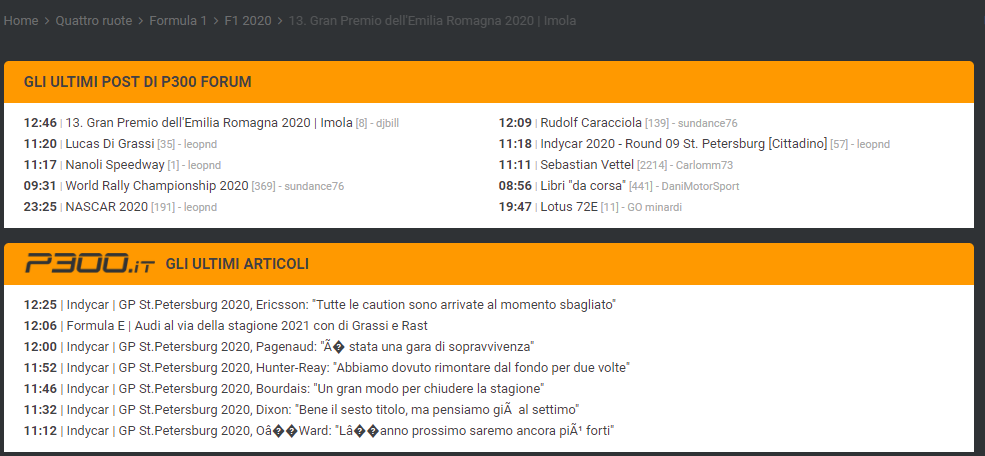 ieri Estense ha detto che erano andati a parlare con il prefetto....vediamoSpero che lo estirpino prima o poiTutto ok 😉Ragazzi volevo segnalarvi che la parte relativa agli ultimi post l'orario del post è un'ora avanti come se non si fosse modificato all'ora legale rispetto agli ultimi articoli in cui l'orario è corretto
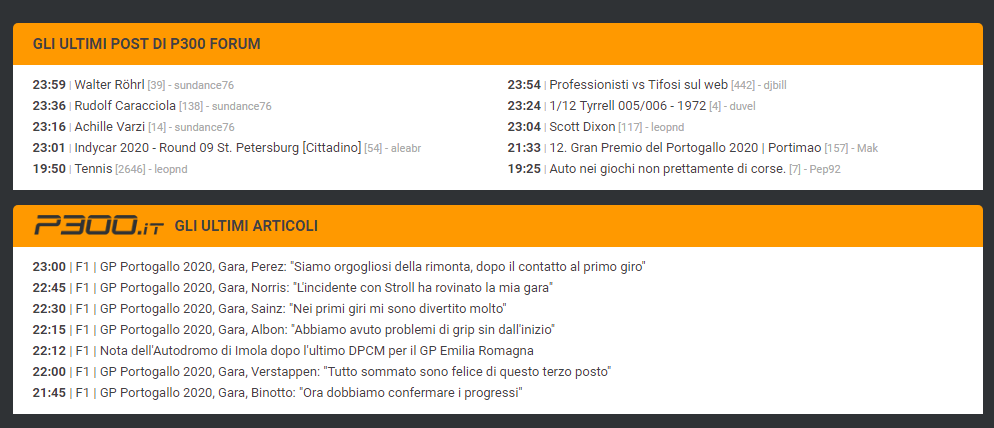 Il via strepitoso di KImi https://www.youtube.com/watch?v=2ChdaNDFI30Pare che Binotto ha detto che si aspetta più da VettelOggi Kimi leggendario strepitosa difesa su SainzAbolite il DRS....garone di GaslySontuoso KimiBuon GP ragazzihttps://the-race.com/formula-1/petrov-steps-down-as-steward-after-fathers-death/?utm_source=twitter&utm_medium=website&utm_campaign=SocialSnapNel dubbio c'èGeni XD
- Prima pagina
- Prec
- 1
- 2
- 3
- 4
- 5
- 6
- 7
- 8
- 9
- 10
- 11
- Successivo
- Ultima pagina
-


Account
Navigation
Cerca
Configure browser push notifications
Chrome (Android)
- Tap the lock icon next to the address bar.
- Tap Permissions → Notifications.
- Adjust your preference.
Chrome (Desktop)
- Click the padlock icon in the address bar.
- Select Site settings.
- Find Notifications and adjust your preference.
Safari (iOS 16.4+)
- Ensure the site is installed via Add to Home Screen.
- Open Settings App → Notifications.
- Find your app name and adjust your preference.
Safari (macOS)
- Go to Safari → Preferences.
- Click the Websites tab.
- Select Notifications in the sidebar.
- Find this website and adjust your preference.
Edge (Android)
- Tap the lock icon next to the address bar.
- Tap Permissions.
- Find Notifications and adjust your preference.
Edge (Desktop)
- Click the padlock icon in the address bar.
- Click Permissions for this site.
- Find Notifications and adjust your preference.
Firefox (Android)
- Go to Settings → Site permissions.
- Tap Notifications.
- Find this site in the list and adjust your preference.
Firefox (Desktop)
- Open Firefox Settings.
- Search for Notifications.
- Find this site in the list and adjust your preference.